ASProxy1.9
Publisher Description
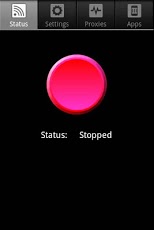
ASProxy is an Android app for enabling proxy support for all apps (including browser, market, maps, Google Talk and Google Voice) on various networks (Wi-Fi, 3G/4G APN, Ethernet and Reverse tethering through USB).
Features
* Transparently intercepts and redirects traffic (thus does not require apps to have proxy support)
* Supports various connection types; Wi-Fi, 3G/4G APN, Ethernet and Reverse tethering through USB
* Supports multiple proxy settings based on the unique identifier for the network
* Configuration based app support, so you can easily add/remove support for any apps
* HTTP, SOCKS 4/4a and SOCKS 5 support
* Basic, NTLM and NTLMv2 support for proxy authentication
* Intranet support (Bypass proxy for local addresses)
* DNS Forwarding
Requirements
* iptables (Netfilter -> NAT)
* root
What ASProxy does not do
ASProxy does not circumvent security imposed by internal proxy - Most MS web proxy servers (Forefront TMG and ISA) come with a limited set of allowed protocols (HTTP - 80 and HTTPS - 443). If your network uses one of these proxies with the default setting, you will be limited to apps using these protocols (Meaning app such as market (5228 for authentication) and Google Talk (5223 and 5224) will not work).
About ASProxy
The company that develops ASProxy is AlSu. The latest version released by its developer is 1.9. This app was rated by 8 users of our site and has an average rating of 1.3.
To install ASProxy on your Android device, just click the green Continue To App button above to start the installation process. The app is listed on our website since 2011-09-27 and was downloaded 220 times. We have already checked if the download link is safe, however for your own protection we recommend that you scan the downloaded app with your antivirus. Your antivirus may detect the ASProxy as malware as malware if the download link to com.Alsu.ASProxy is broken.
How to install ASProxy on your Android device:
- Click on the Continue To App button on our website. This will redirect you to Google Play.
- Once the ASProxy is shown in the Google Play listing of your Android device, you can start its download and installation. Tap on the Install button located below the search bar and to the right of the app icon.
- A pop-up window with the permissions required by ASProxy will be shown. Click on Accept to continue the process.
- ASProxy will be downloaded onto your device, displaying a progress. Once the download completes, the installation will start and you'll get a notification after the installation is finished.
Program Details
System requirements
Download information
Pricing
Version History
version 1.9
posted on 2011-09-27
Integrated dependent libraries for better compatibility.,Better shell support for different platforms
version latest
posted on 2010-06-15
Several fixes and updates
